
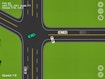
Road Designer
Draw the roads, snap them to the grid, then find out what the traffic thinks of your layout.
- Category:
- Strategy
- Difficulty:
- Medium
- A session:
- about fifteen minutes
- Input:
- keyboard and mouse
About Road Designer
You lay out a road network across a map and the cars do the rest. Where the junctions land and how the paths join up decides whether the traffic flows or knots itself together, so the map ends up being an argument between what looked tidy and what actually moves.
The grid snap is the tool that makes a layout readable. Press G and the pieces line up instead of drifting. When you want to see a stretch from ground level, tap the steering wheel icon and drive it yourself. It runs at 800 by 600, and it wants a keyboard for the camera.
How to play
- Move the camera around the map with W A S D.
- Zoom in and out with the arrow keys or the scroll wheel.
- Press G to snap new pieces to the grid.
- Connect the paths, then watch the cars use what you built.
Controls
| W A S D | Move around the map |
|---|---|
| Arrow keys or scroll wheel | Zoom |
| G | Grid snapping |
| Steering wheel icon | Drive the road yourself |
Tips
- Turn grid snapping on before you build anything long. Straightening a crooked run later costs more than placing it right.
- Try more than one layout for the same junction. The traffic tells you which one was better far faster than looking at it does.