
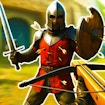
War the Knights
A knight with a sword in one hand, something to throw in the other and a battle cry on R.
- Category:
- Action
- Difficulty:
- Medium
- A session:
- about fifteen minutes
- Input:
- keyboard and mouse
About War the Knights
This one hands you the whole keyboard. Move and sprint and crouch, pick weapons up off the ground, block or aim on the right mouse button, throw with the middle one, kick with F and shout with R. Two weapon slots and two gadget slots sit on the number keys.
A control list that long says what kind of game it is: not one you drop into for ninety seconds. Weapons are found rather than chosen, so what you can do in any fight depends on what you picked up before it. It needs a keyboard and a mouse, which makes it a desktop game.
How to play
- Move with W A S D, and pick a weapon up with E.
- Attack with the left mouse button and block with the right.
- Throw the weapon in your other hand with the middle mouse button.
- Switch weapons with 1 and 2, and gadgets with 3 and 4.
Controls
| W A S D | Move |
|---|---|
| Shift | Sprint |
| Space | Jump |
| Z | Crouch |
| E | Pick a weapon up, or interact |
| Left click | Attack |
| Right click | Block or aim |
| Middle click | Use the thrown weapon |
| 1 and 2 | Select a primary weapon |
| 3 and 4 | Select a gadget |
| R | Battle cry |
| F | Kick |
| Esc | Open the menu |
| F3 | Hide the interface |
Tips
- Block and aim share the right mouse button, so lining up a throw is the moment you are not defending.
- E is the key you will reach for most. It picks weapons up and works everything you can interact with.